Sunday, October 24, 2010

Railroad Reminiscences - John Fitzgerald breaks ground in Plattsmouth

John Fitzgerald
Railroad Contractor, Banker, Millionaire
Since the railroad figures prominently in the lives of several of my ancestors, I've decided to add a new blogging theme, Railroad Reminiscences, to share some of the stories of ancestors and relatives who worked on the railroad.

John Fitzgerald was a railroad contractor responsible for laying many of the primary railroad tracks throughout the Midwest. Fitzgerald was the husband of my great grand aunt, Mary Kelly. Mary was the sister of my great grandfather, Daniel Kelly.

Even as a youngster, this photograph grabbed my attention. Fitzgerald epitomized the Irish Catholic immigrant who created a better life in his new country.

He was born in Limerick county, Ireland in 1829.

The following is from Johnson's History of Nebraska by Harrison Johnson, 1880, page 242.


Groundbreaking in Plattsmouth, Nebraska

At a special election held in Plattsmouth on April 24, 1869, $50,000 in bonds were voted by the city, and donations made by individual citizens of a large number of city lots to the B. & M. Railway Company, on condition that the Company should erect there, and maintain depot, shops, and general fixtures, making and continuing Plattsmouth the headquarters of the Company in Nebraska; putting the road through to the west end of the County, all in good running order and actual operation, within sixteen months after June 3, 1869. These conditions were accepted by the company, and the contract closed by W. Thielson, the authorized agent of the Company, and the City Council, June 15, 1869. Early in July, in the presence of a large crowd of spectators, John Fitzgerald, at the foot of Main street, in Plattsmouth, displayed his strength and skill in "breaking ground" for the railroad track. In September, 1869, in a still larger and more excited crowd, the first locomotive, the "American Eagle," was landed and gave her first scream on Nebraska soil. The long wished, and long listened for whistle was now a matter of unquestionable fact upon the streets of Plattsmouth.


Sunday's Obituary - Amanda Stover Pecht

Amanda Melvina Stover Pecht
my 2nd great grandmother
Mrs. Amanda Petch (sic), wife of Mr. John Petch (sic), died at this place Wednesday p.m., about 5 o'clock, after a lingering sickness of more than a year, of chronic ailments, aged about 52 years, and was buried yesterday at Rose Mound cemetery south of this place. She has been a sufferer from disease almost from the settlement here and her trouble has been at times almost unbearable. Mr. Petch (sic) and family came to this section from Lena, Ill., some twenty years ago and have many friends and relatives at Republic and in the country (sic) south of this who hold them in high esteem that will be true mourners of her death. - from the Hardy Herald

Source: The Nelson (Nebraska) Gazette, Thursday, August 30, 1894; pg. 3


Rose Mound Cemetery
Republic County, Kansas


Sunday Supper - Your Grandmother's Dishes

Many of us may have inherited some of the family china or dishes or maybe just a piece or two. There's a web site where you can possibly find out more information about that odd piece that may have been passed down to you.

I've been a customer of Replacements, Ltd. for several years. It's a company with huge warehouse and showroom facilities in North Carolina. My stepmother had purchased some items from them to replace broken pieces. I've done the same, and also completed my china and crystal sets through this company (as well as on eBay).

A few years ago, I flipped over one of the plates in my Grandmother Kelly's set, got the name of the manufacturer and found that the company did indeed, stock replacement pieces for her pattern. I would have used a photo of that for this post, but the dishes are all packed up at the moment and I can't remember the name of the pattern.

If you have some odds and ends, search the web site and see if you can find your family's china pattern. If so, please post your findings in the Comments section below.

Nope, it's not a genealogy web site, but it just might give you some insight to those dishes that your family has eaten Thanksgiving dinner on for many generations.

Disclaimer: I am not affiliated with Replacements, Ltd., just a long time satisfied customer.


10/25/2010 UPDATE: You can get a "Featured Dinnerware of the Week" gadget for iGoogle:
http://www.google.com/ig/directory?hl=en&url=www.replacements.com/google-gadget.xml

Friday, October 22, 2010

Review: Flip-Pal Mobile Scanner - Part 2

It's easy to say that the Flip-Pal mobile scanner is going to meet my expectations for a versatile portable scanning device. Part 1 of this review demonstrated the scanning, color correction and stitching features.

You absolutely cannot beat this device based on its size and weight, which make it extremely portable. To get an idea of its size, below is my netbook computer and on the right is the Flip-Pal scanner.


Both devices could easily fit in the carrying case for my netbook, however, there may be times when I only need to use the scanner. So I stopped by Staples today and found a carrying case that is perfect for the scanner and has plenty of room for extra batteries. And from what I read in the user's manual, this scanner will definitely use plenty of batteries.

One of the selling points of the Flip-Pal scanner is that it can be used without a computer! No cords, no wires. Just grab and go. This makes the Flip-Pal a great device for genealogists. Take it to family reunions when people bring their family photos and albums. Take it on research trips to scan those photos that relatives don't want to turn loose. Use it in research facilities to scan documents or pages from a book (with proper copyright usage, of course!). If there's a wonderful document or photograph that is in the custody of one family member, having a digital scan is the best way to share it with other members of the family. And size no longer matters. Theoretically, you could scan and digitally stitch together a wall mural with this device if you wanted to.


All of the scanning is done right on the Flip-Pal. The scans are saved to a SD memory card. You will have to take the memory card to your computer to do any photo editing and stitching. The scanner comes with a SD to USB adaptor, so if your computer doesn't accept SD cards, it doesn't matter.

The software runs off the SD card and the product manual is also on the SD card. The manual is 18 pages in an Adobe pdf file. I seldom read a product manual - I just start clicking buttons. I did, however, check the manual to see how to remove the cover since I didn't want to break it and wanted to try the Flip part of the scanner. I did read about the batteries and like other digital devices, this is a battery hog. The unit requires four AA batteries (stock up on those today, too). The manual indicates that the scanner will yield about 150 scans on alkaline batteries, about 450 on photo lithium, and about 120 on rechargeable NiMH.

Scanning options are either 300 dpi or 600 dpi. The SD card that comes with the unit has about 1.5 GB available for storing images, which the manual indicates is about 750 scans at 300 dpi or 375 scans at 600 dpi. You can also use any standard SD or SDHC memory card, so if the 2 GB that comes with the unit is not enough, use your 4 GB or 8 GB cards. The toolbox software can be copied onto your own SD card.

If you purchase the Flip-Pal, plan on another $10 - $20 for a netbook sleeve or carrying case. The unit could probably be easily scratched or damaged if you just carry it around without any kind of protective cover.

Plan on stocking up on batteries or get that recharger out. If you're doing a lot of scanning, you'll be going through a lot.

Overall, the positive features of the Flip-Pal far outweigh any drawbacks. It's portable, it's lightweight and versatile. You can scan anywhere - on the kitchen table, at a family picnic, even sitting in bed while watching TV.

The Flip-Pal web site

Disclaimer: I purchased this product directly from the Flip-Pal web site. No compensation of any kind was received for this review.

Review: Flip-Pal Mobile Scanner - Miracles in Minutes - Part 1

I've eagerly been waiting for my Flip-Pal mobile scanner to arrive ever since I ordered it in August. This little gem arrived yesterday and I've been trying out some basic scanning as well as scanning an oversized document to see how the Autostitch software works.

I was scanning some 55 year old snapshots in less than five minutes after opening the box.

First of all, this scanner is fast. I'm used to my flatbed scanner warming up, grinding around taking its sweet time. This scanner was producing images for me in just a few seconds.

Apparently I was pissed off about something!
To the left is just a very ordinary photo of yours truly mugging for the camera. It's fairly typical of Brownie camera photographs processed at the drugstore in the mid-1950s. With some minor adjustments in the contrast, the scan actually looks sharper than the original.


The software that comes with the scanner allows you to make some adjustments with brightness and contrast. I found it to be quite satisfactory for these "quick and dirty" examples. If you want to do more photo restoration in Photoshop or other photo editing software, that would be fine. But for most scans, I think the Flip-Pal software is totally acceptable.


Below is a Before and After example of the type of adjustments you can make on your scanned images. On the left is my original scan and on the right is after I experimented with the brightness and contrast. The original image is one of those small Photo Booth pictures, circa 1940.


The next project was to see just how this works on oversize images. After all, isn't that the reason that a lot of we genealogists are interested in this product?

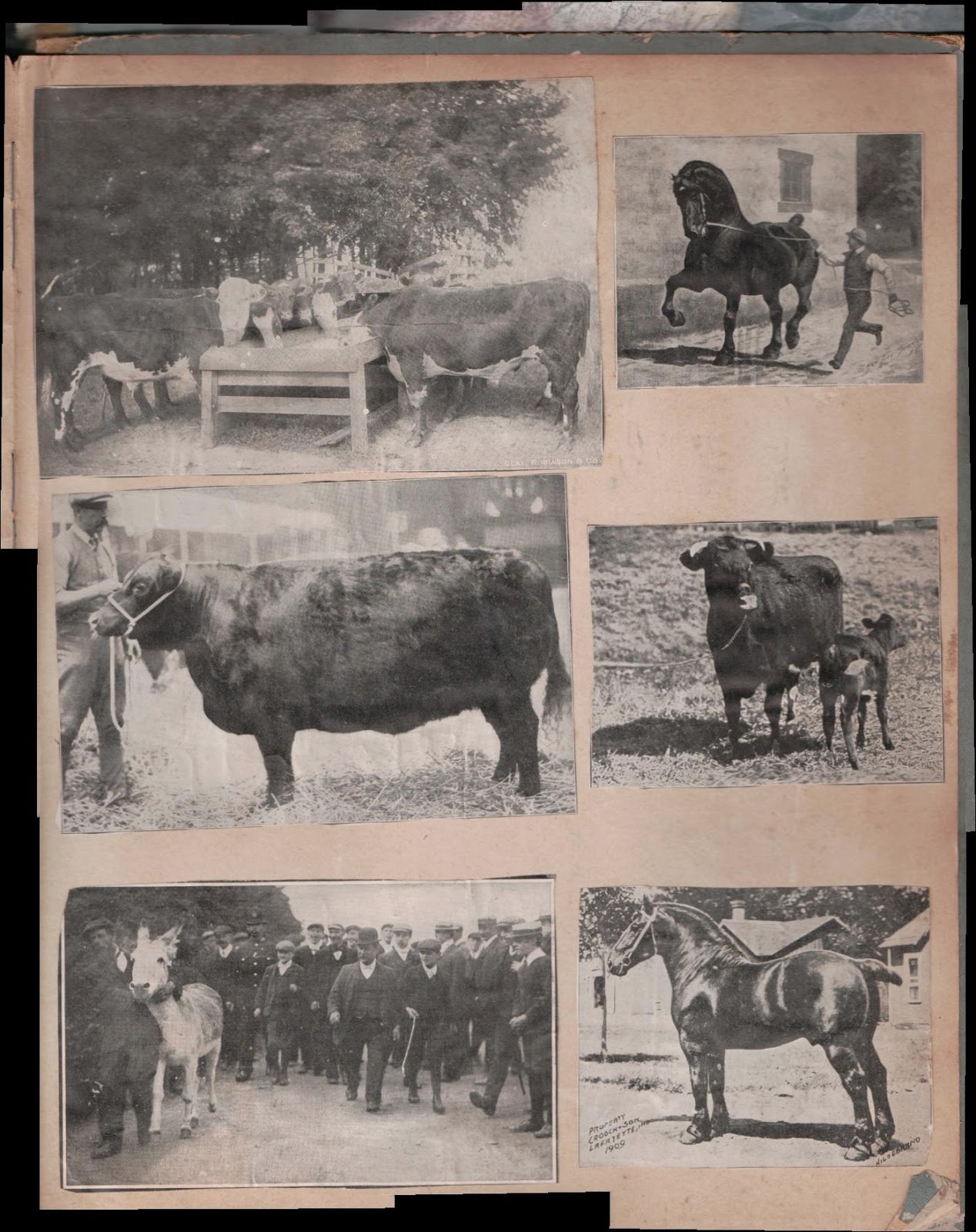
I went straight for my grandfather's childhood scrapbook of magazine photos of horses, cows and pigs. It's about 12" x 14" - maybe even larger. But it's too big to get a full page on my flatbed scanner. It took me a couple tries to get the auto-stitching software to work, but that was my own fault since I seldom read an instruction manual unless absolutely necessary. Since the software was not recognizing any stitchable regions, I realized that my scans had to overlap with one another. I made 11 scans of the page and here are four of them, just to demonstrate what the individual scanned images look like. Image size is reduced for the blog post.

Funny caption, anyone?


The Flip-Pal software is loaded on the 2GB SD memory card that comes installed on the scanner.


I clicked on the menu item "Stitch Scans", selected the scanned images to sew together and in only a few seconds, I had the following image on my computer screen:


I've left this image at its original size so you can click on it to see the full-size Hi-Res scan. I'll challenge anyone to find each individual scanned image. It absolutely matches perfectly. I even avoided cropping this image so you could seen the overage on the sides where I did the scanning. Well, what can I say? This is one of the two main reasons that I wanted to get this scanner.

Part 2 of this review will focus more on the technical aspects of the product and reason number 2 for my purchase - portability.

The Flip-Pal website

Part 2 of this review

Disclaimer: I purchased this product directly from the Flip-Pal web site. No compensation of any kind was received for this review.